
How to Create a Shareholder Agreement in Minutes

Introduction
A shareholder agreement is one of the most important documents for any company with more than one owner. It sets out rights, responsibilities, decision-making powers, and what happens if a dispute or exit happens later.
Traditionally, drafting one could take hours of back-and-forth with legal documents, edits, and reviews. With the right AI for legal documents, that process can now be much faster without losing structure or clarity.
Want to know more? Read what we have to say about Practical Tips: Shareholder Agreements Explained for Minority Shareholders
Two Ways to Create A Shareholder Agreement
DocLegal.ai offers two simple methods:
Option 1: Search Templates (Best for standard use)
Use this if you already know you need a shareholder agreement.
Option 2: AI Mode (Best for custom situations)
Use this if you want a document tailored to your specific business setup. AI Mode works especially well when you need more flexibility around ownership, voting rights, exit terms, or special arrangements between shareholders.
How to use Search Template:
Search Templates are the fastest way to get started when you want a reliable baseline document. Simply search for “shareholder agreement,” choose the most relevant template, and begin editing the fields that matter to your business.
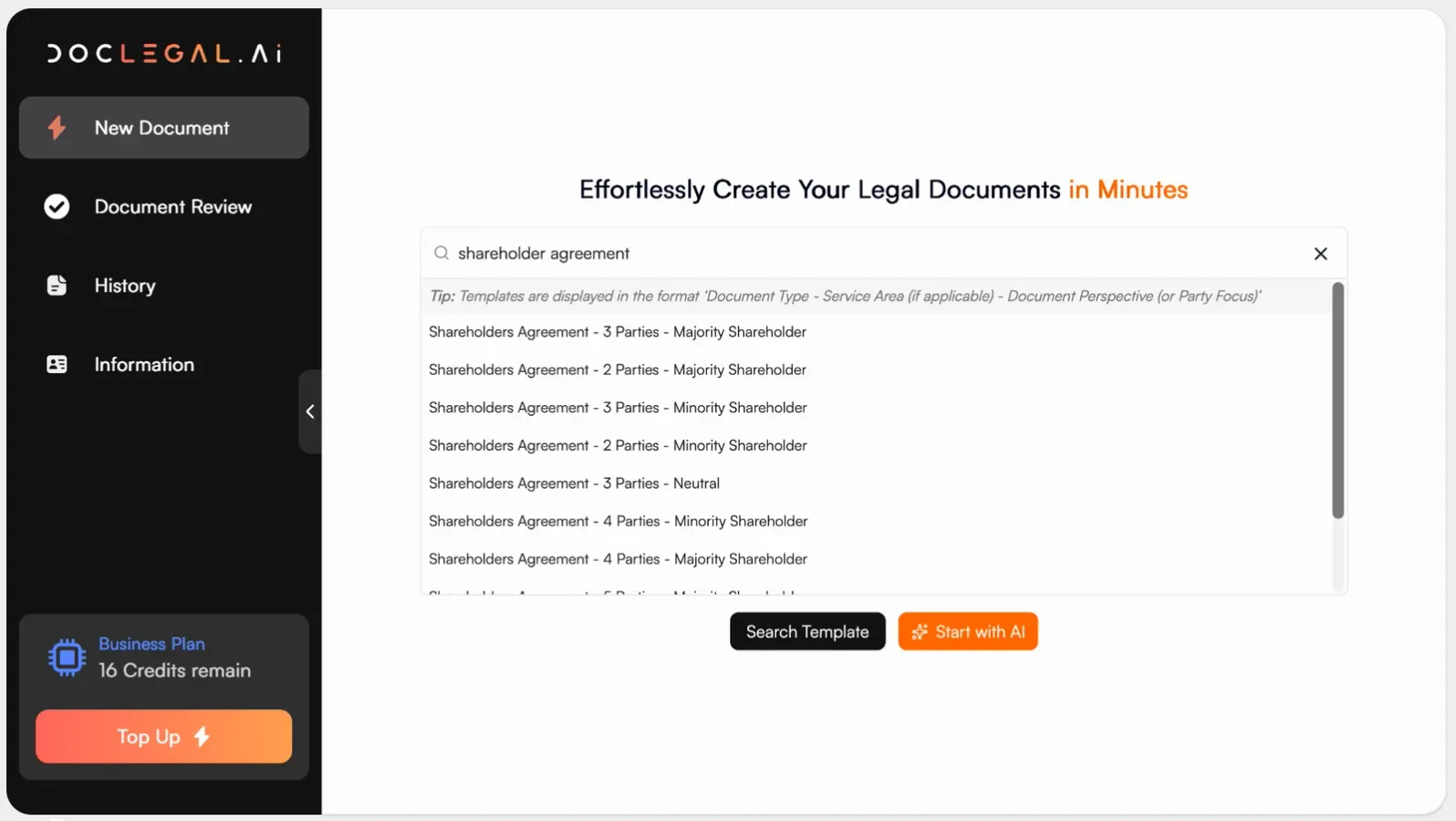
Typical steps include:
1. Search for the shareholder agreement template.
2. Select the version closest to your company structure.
DocLegal.ai offers several versions to match different commercial dynamics:
Neutral: Balanced rights across all shareholders; best for equal partnerships.
Majority shareholder leaning: Gives greater control to majority owners (e.g. stronger voting rights, board control).
Minority shareholder leaning: Includes additional protections such as veto rights or enhanced information rights.
Loose/light: Fewer restrictions; suitable for early-stage startups prioritizing flexibility.
Strict/tight: More detailed controls on transfer of shares, decision-making, and exit.
Multi-party versions (2, 3, 4, or 5 shareholders): Structured to reflect different ownership splits and voting arrangements.
A quick example:
If you are a 2-founder startup with equal share ownership, choose a neutral 2-party template.
If one founder owns 70% and wants control over key decisions, choose a majority-leaning version.
3. Input your customizations, such as party names, ownership percentages, and key commercial terms.
Example inputs you can copy and adapt:
“Shareholder A: Alice Wong (40% share ownership); Shareholder B: Brian Lee (35%); Shareholder C: Clara Ng (25%).”
“Reserved matters require approval of shareholders holding at least 75% of voting rights.”
“No transfer of shares permitted within the first 12 months without unanimous consent.”
“Dividends to be declared annually subject to profitability and board approval.”
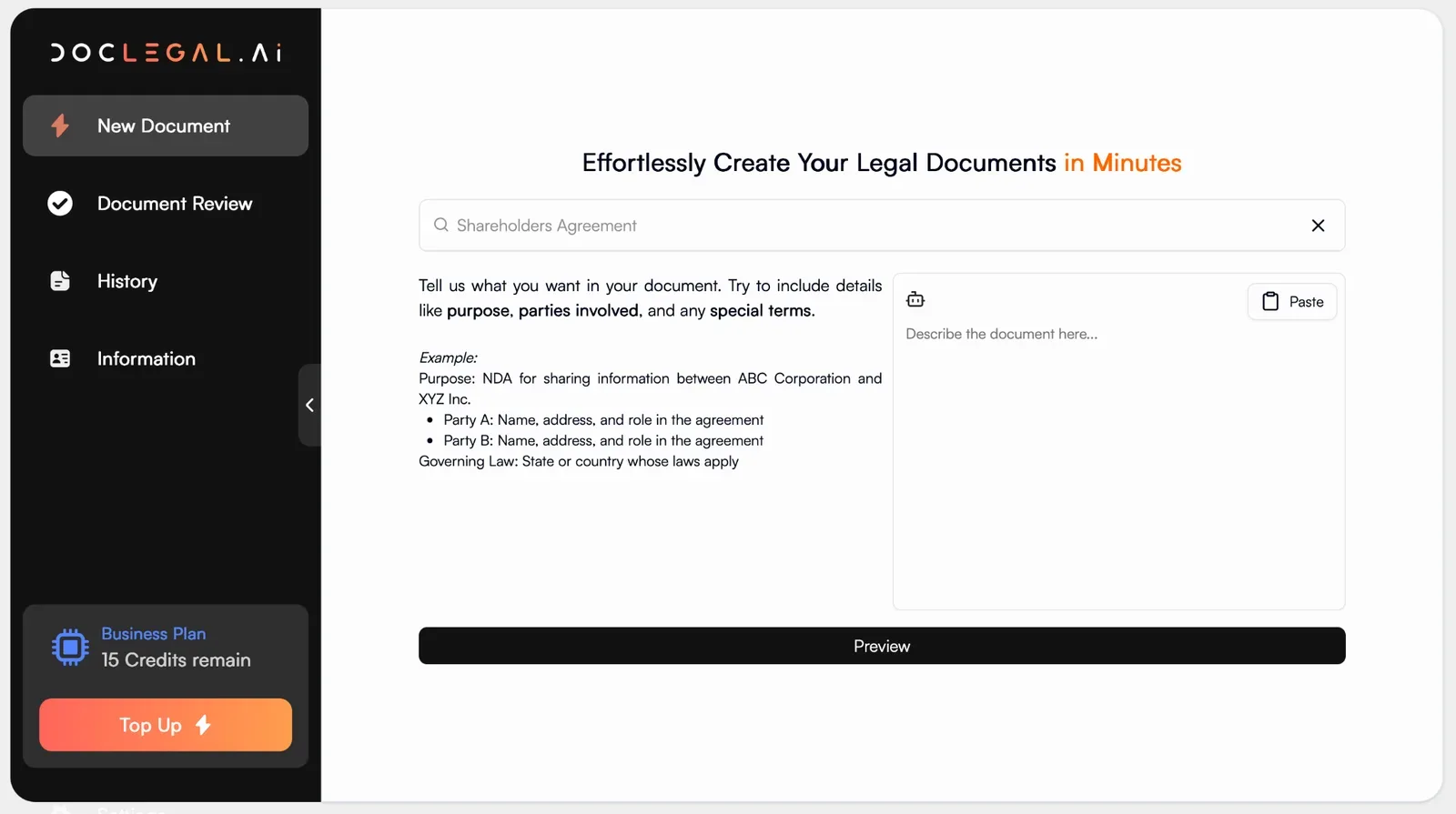
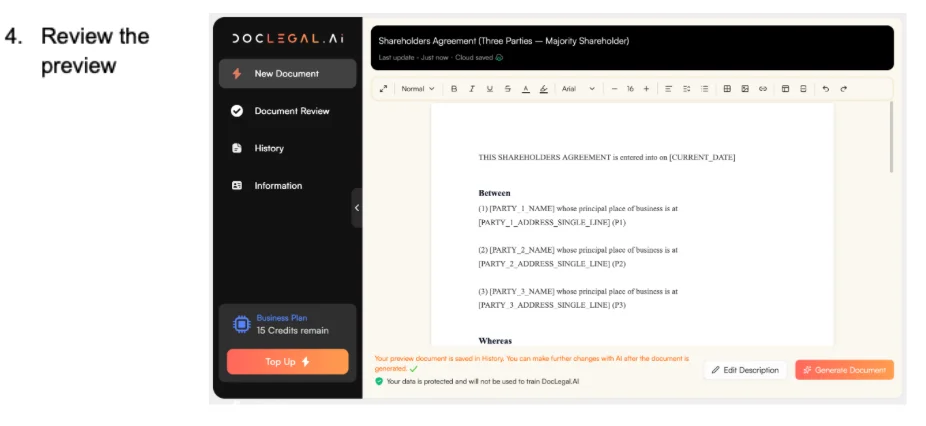
5. Generate and edit
For example, once you generate a standard agreement, you can manually add a clause:
“The company shall not issue new shares without offering them first to existing shareholders in proportion to their share ownership.”
Or, you can implement an AI-assisted edit by sending a message to the chatbot:
“Amend Clause 6 to require unanimous consent for any transfer of shares to external parties.”
6. Save or export the document. You can download the document in Word, PDF, or TXT format.
How to Use AI Mode
AI Mode is the better choice when your agreement needs to reflect a more specific business arrangement. Instead of starting with a fixed template, you can describe your company structure and the terms you want, and the system helps generate a tailored draft.
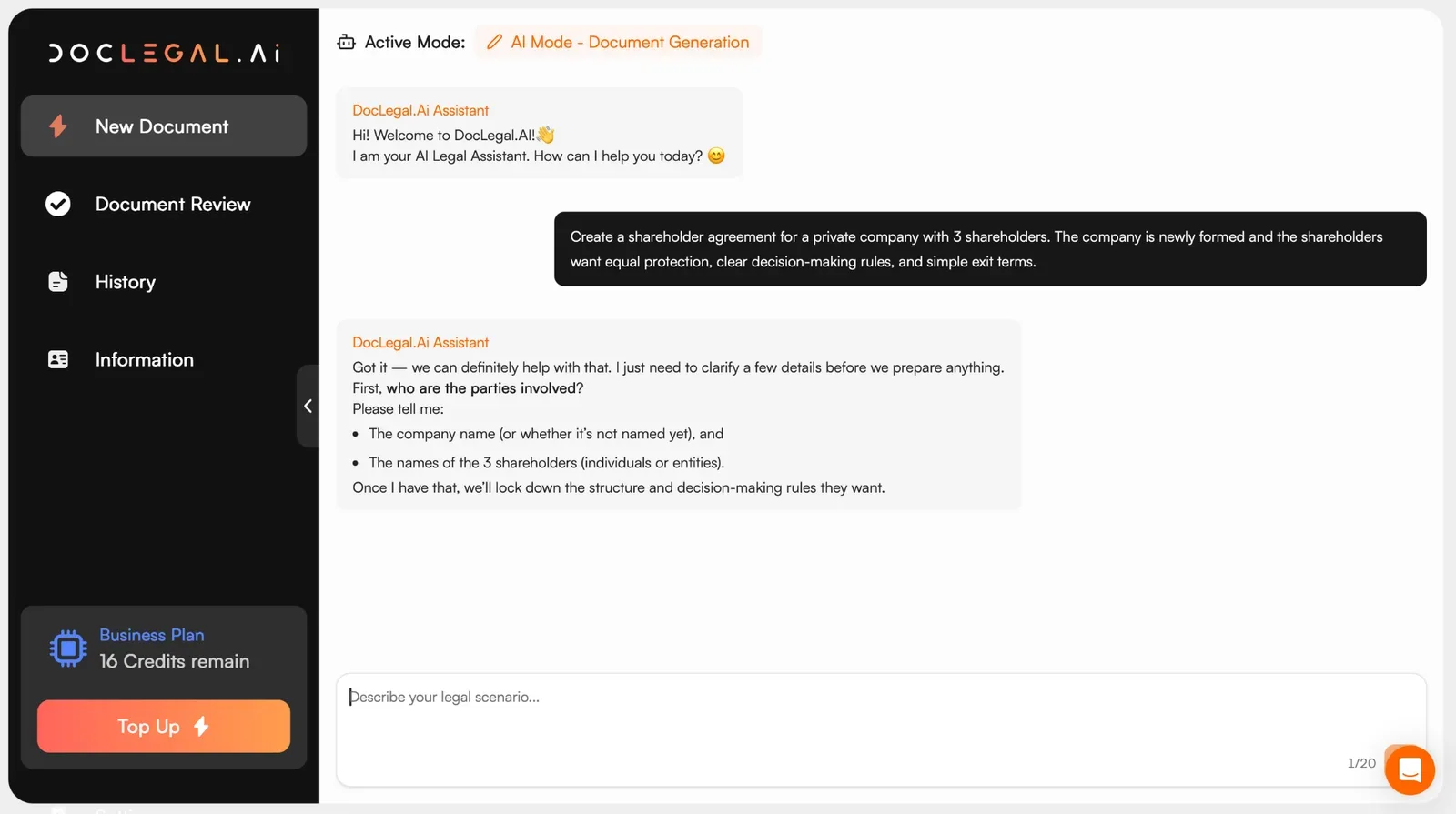
For example, ‘Create a shareholder agreement for a private company with 3 shareholders. The company is newly formed and the shareholders want equal protection, clear decision-making rules, and simple exit terms.’:
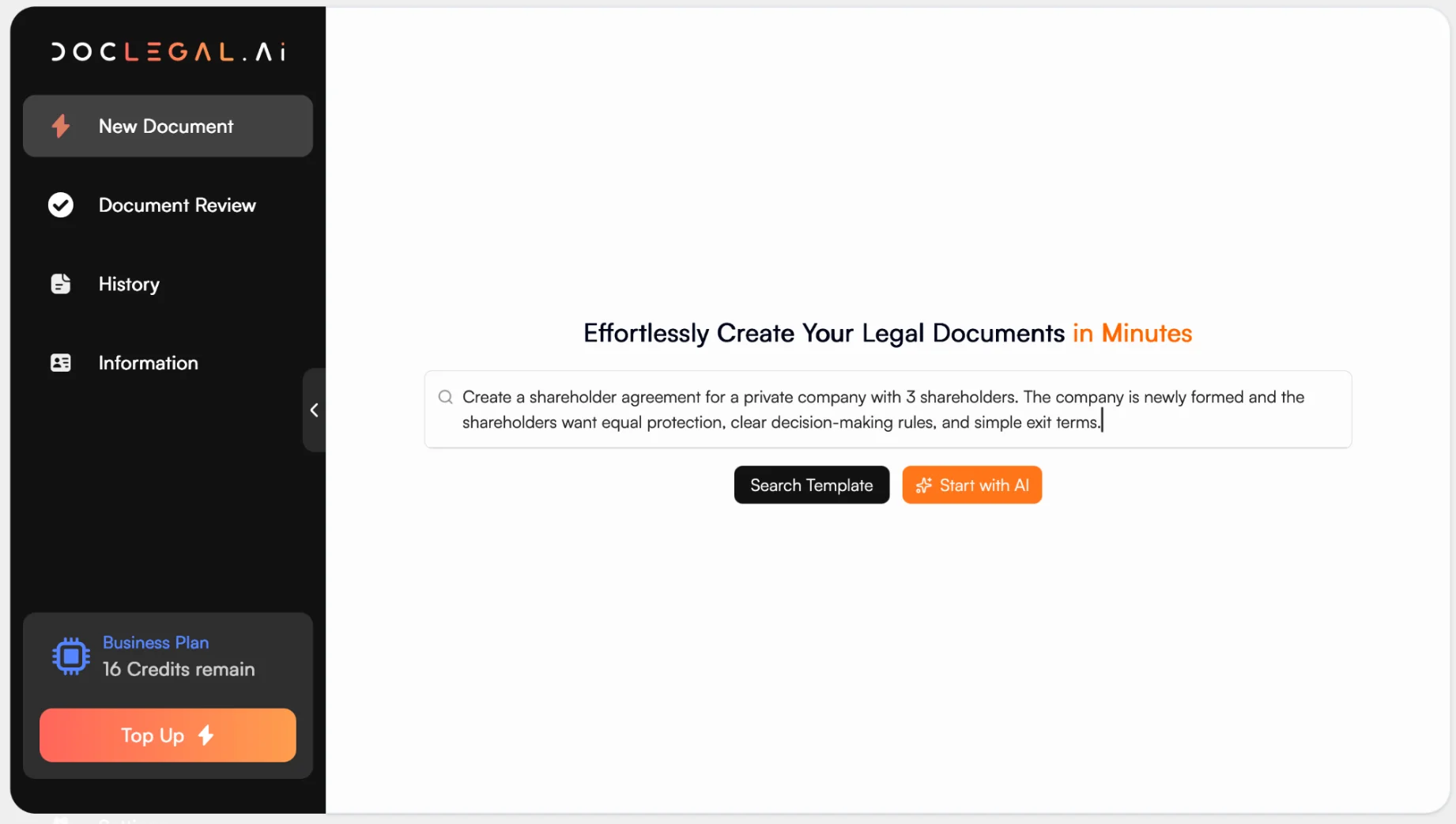
This works well for founders who want more control over issues like reserved matters, transfer restrictions, dividend policy, or deadlock mechanisms. The AI can then refine the draft so it better matches your intended commercial position.
A simple workflow looks like this:
1. Type in your situation and select ‘Start with AI’
2. Answer 3-4 tailored questions, so the AI can refine the document to match your specific circumstances
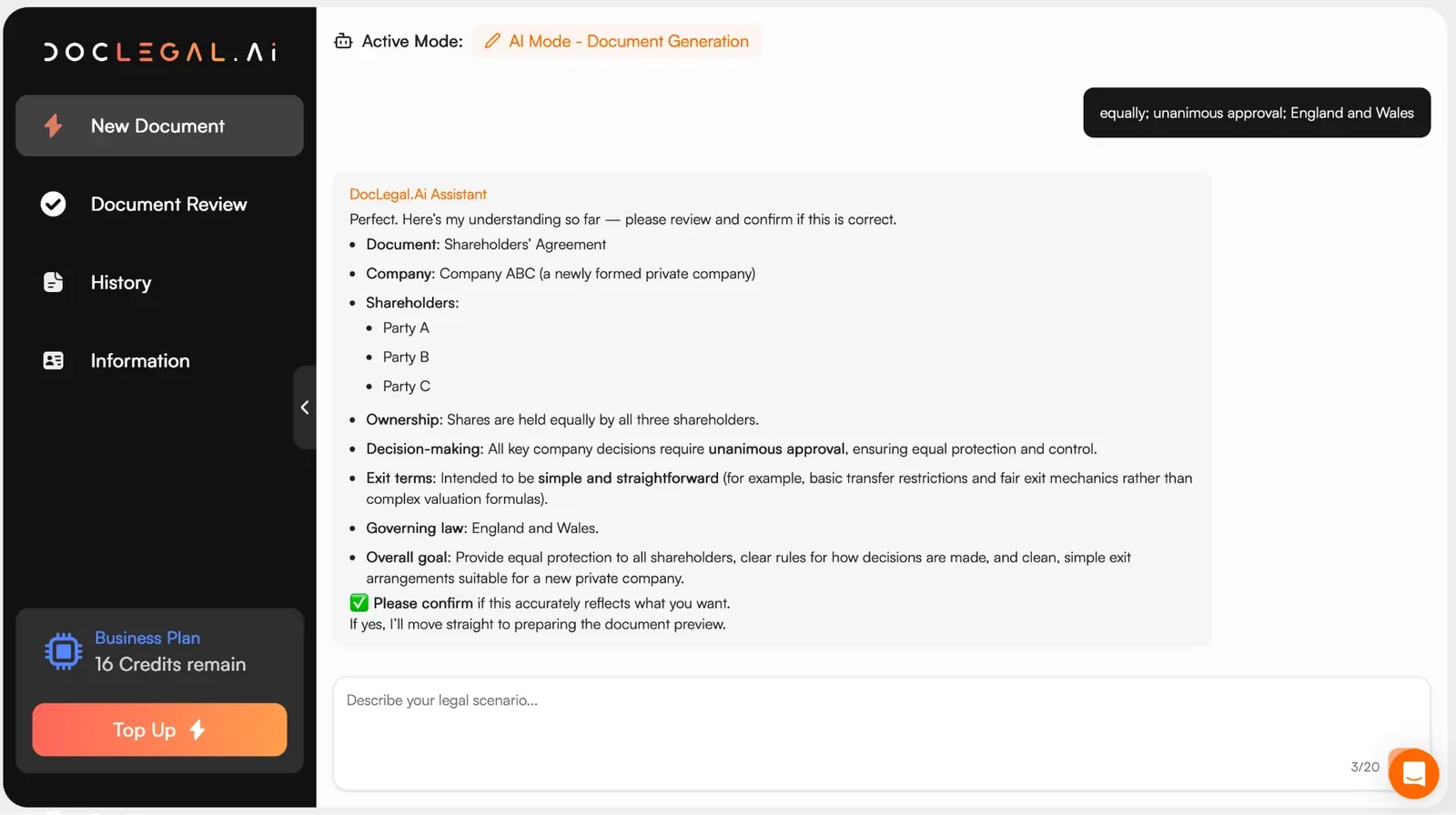
3. Confirm the summary, and let the AI generate a preview
4. Approve the preview, generate the document, and edit where applicable
For example,
Prompt: “Add a deadlock clause where if shareholders cannot agree, a buy-sell mechanism applies based on fair market value.”
Result: The AI inserts a structured deadlock resolution clause with valuation mechanics
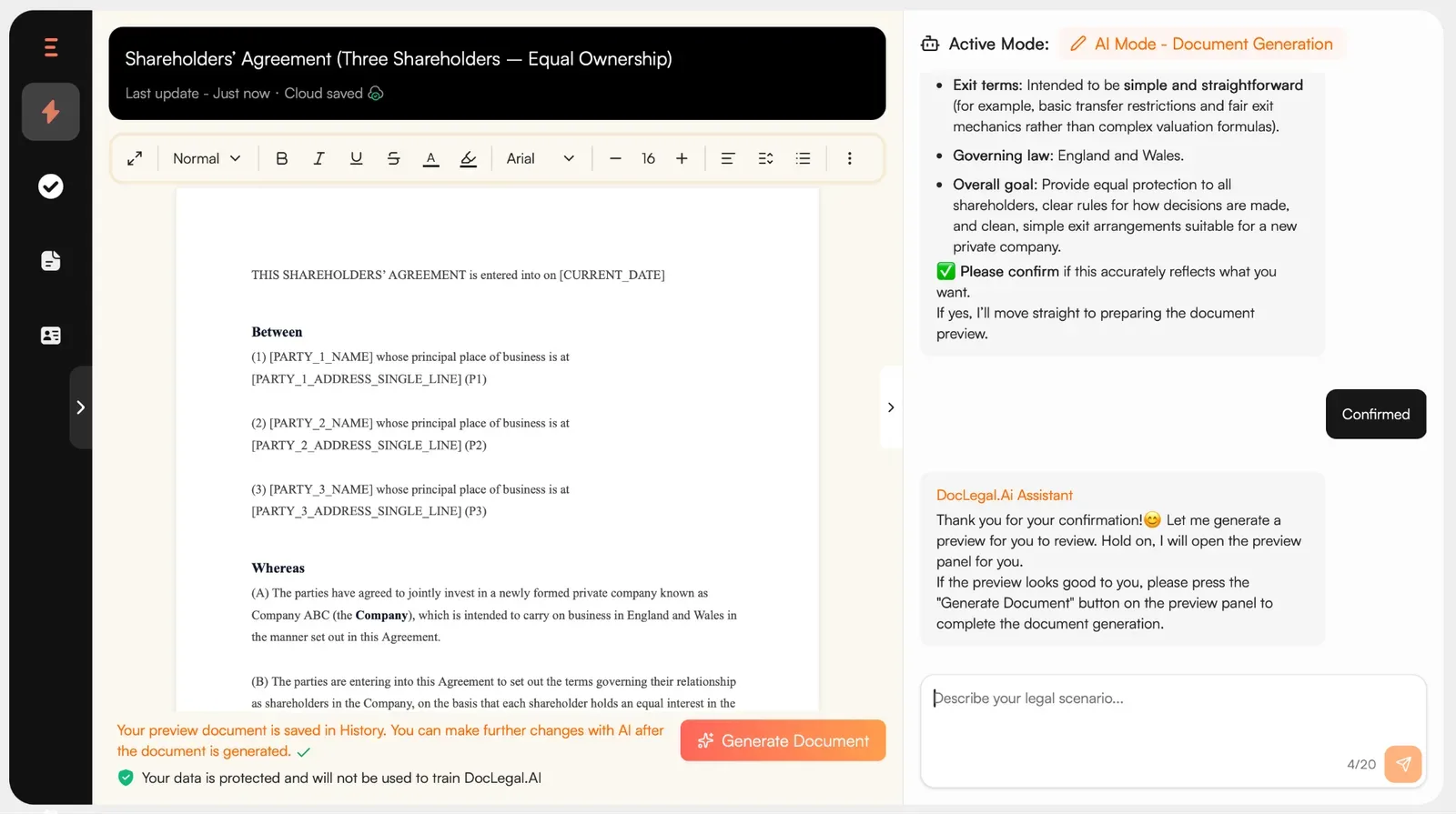
5. Save or export the document
When Should You Use Each Method?
The best method depends on how standard your needs are and how much customization you want. Search Templates are usually faster for familiar setups, while AI Mode is better when the agreement needs to capture unusual terms or company-specific arrangements.
Use Search Templates if | Use AI Mode if |
You already know the type of agreement you need. | You want to describe the deal in plain language and let AI structure it |
You prefer a clean template-based workflow. | You need more flexibility during drafting and editing |
Your company structure is straightforward. | You need the agreement to reflect a unique business model, or your shareholders want custom rights or protections. |
You want fast Contract Generation with minimal setup | You want AI to adapt to non-standard needs at the outset |
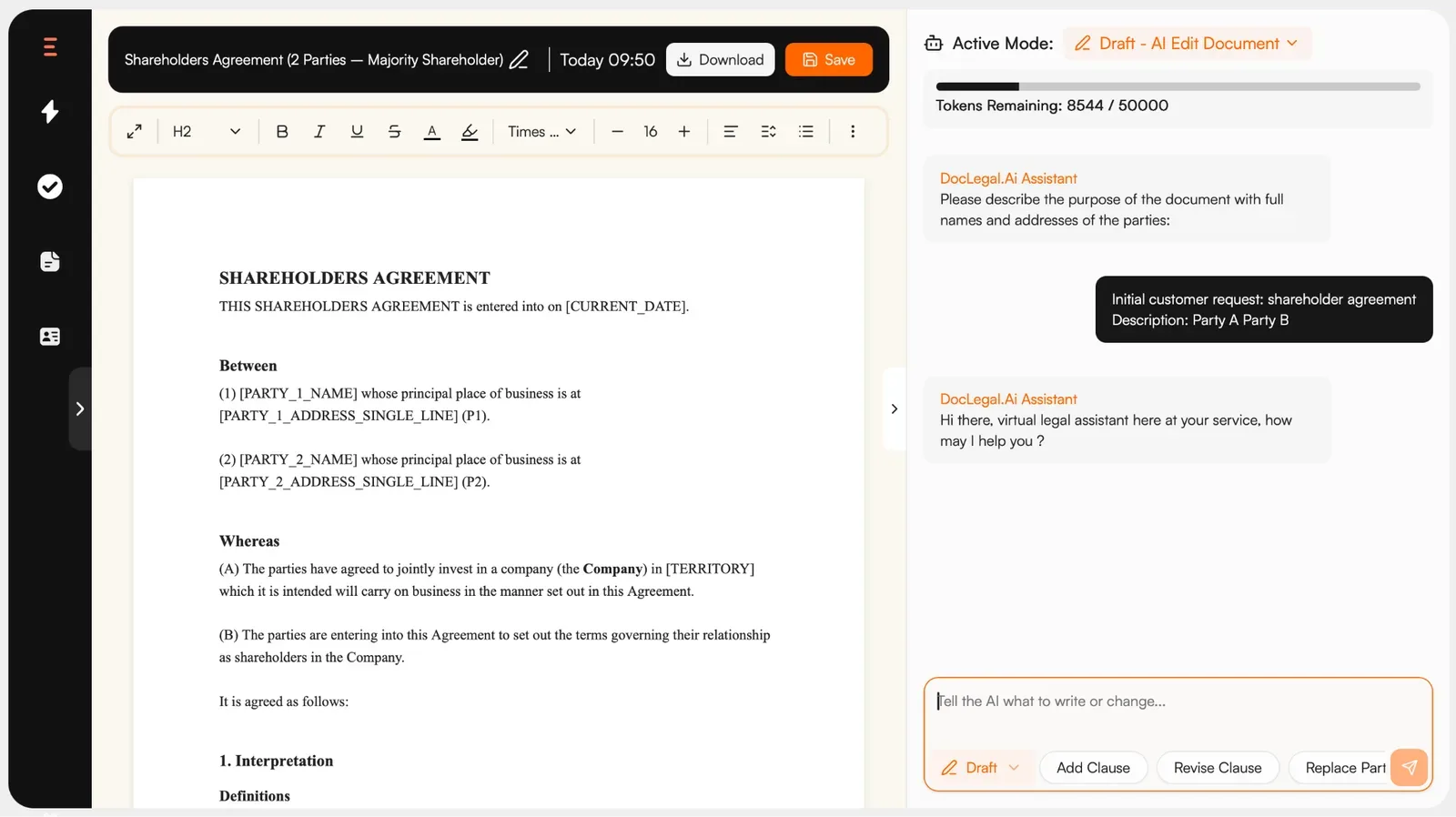
In either case, you will be able to generate and edit the document using our new editor, or ask AI to make the changes for you:
Creating a shareholder agreement does not have to be complicated. With DocLegal.ai, you can choose the option that best fits your needs: use Search Templates for a fast, standard starting point, or switch to AI Mode when you need a more tailored document for a specific business setup.
Both options help you move from idea to draft quickly, while keeping the process simple, practical, and efficient.
Read more about creating a Shareholder Agreement For A New Company in 2026
FAQs about Shareholder Agreements
What are voting rights in a shareholder agreement?
Voting rights determine how decisions are made within the company, often tied to share ownership. Some agreements give one vote per share, while others include special voting thresholds for key decisions.
Sample Prompt: “Set voting rights so that ordinary matters require a simple majority, but reserved matters require 75% approval.”
How is share ownership reflected in the agreement?
Share ownership defines each shareholder’s percentage stake, which affects dividends, voting power, and exit proceeds. It should be clearly stated and aligned with the company’s register.
Sample Prompt: “Define three shareholders with 50%, 30%, and 20% share ownership, and allocate voting rights proportionally.”
What rules apply to transfer of shares?
Transfer of shares clauses restrict how and when shareholders can sell or transfer shares, often including pre-emption rights or lock-in periods.
Sample Prompt: “Add a restriction where no shareholder may transfer shares within 2 years, and thereafter must first offer shares to existing shareholders.”
Can voting rights differ from share ownership?
Yes. Some agreements create weighted or veto-based voting rights, especially to protect minority shareholders or give control to founders.
Sample Prompt: “Grant minority shareholders veto rights over changes to business scope, despite holding less than 25% share ownership.”
